Project properties
This dialog box shows the properties of the current project, among them:
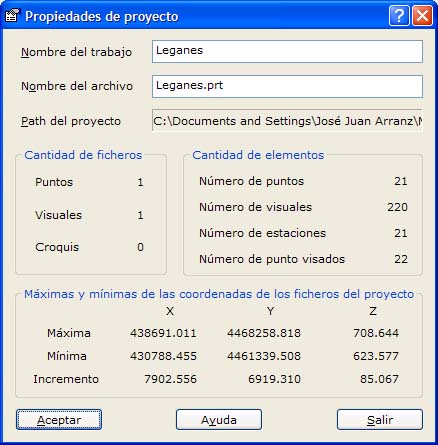
- Project name
- Job name
- Folder where it is stored
- Number of files of points, observations and sketches it contains
- Number of elements, such as the number of points, observations, stations and target points.
- Maxima and minima of all the coordinates contained in the point files of the project.
- Number of decimal data: There are two fields to set the number of decimals to display for the data in the different computations and lists generated with this project. The data are divided into angular and linear (coordinates and distances).
Click the OK button to save the changes of the project. Click the Exit button to close the dialog box.