Move the Quick Access Toolbar
The Quick Access Toolbar is customizable and contains commands independent of the currently displayed tab.
It can appear in either location:
- In the upper left corner beside the MDTopX button (default).
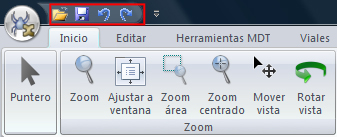
- Below the ribbon.
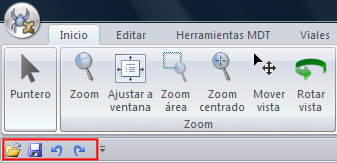
Move it to the other location if the current one is inconvenient. If its default location beside the MDTopX button is too far from the workspace, moving it below the ribbon brings it closer. However, that location occupies workspace; keep the default location to maximize working space.
To change the location:
- Click Customize Quick Access Toolbar.
- Click Show Below the Ribbon in the list.