Import symbols from a .cel file
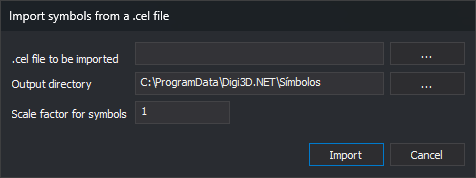
This Symbols option converts MicroStation cell library (.cel) cells to Digi3D.AI symbols: one .bin drawing per cell.
Controls
- .cel file to be imported: cell library. ... opens Open with MicroStation cell files.
- Output directory: destination symbol folder. Defaults to the symbol folder in Configuration. ... opens folder selection.
- Scale factor for symbols: factor applied to cell coordinates. Default: 1.
- Import: runs conversion.
- Cancel: closes without importing.
The DGN import extension converts cells. If no loaded extension supports it, the editor displays No extension able to import symbols from a MicroStation CEL file was found.
Styles use imported symbols only if the output folder is the configured symbol folder.