Search command
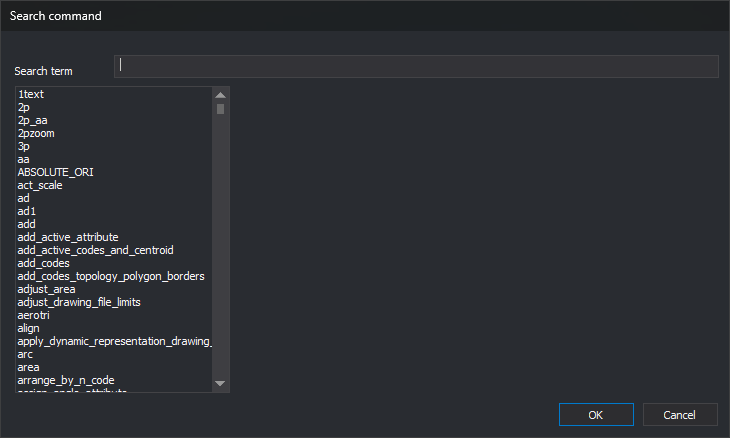
This dialog searches for a command by name or description. It is opened by:
- Immediate/Run a command by its name.... Accepting makes Digi3D.AI run the selected command.
- Search... in the status bar, next to Command when Digi3D.AI requests a command to run. Accepting writes the command name in that field without running it.
- Search... in Command assigned to button, opened from Programming buttons. Accepting writes the command name in Command to be run. The command is assigned to the button when you click OK in Command assigned to button.
Fields
- Search term: text to find, ignoring case. The list shows commands whose names or descriptions contain it. For photogrammetric window commands, only the name is searched.
- Command list: drawing window commands and, if a photogrammetric window is active, its commands too. The list is alphabetical.
- Description: selected command title and description. Empty for a photogrammetric window command.
- OK: chooses the selected command. With none selected, equivalent to Cancel. Double-clicking a command is equivalent to selecting it and clicking OK.
- Cancel: closes the dialog without choosing a command.