Enter the field name
Opened by Database/Codes/Automatically add a condition to the table of each code of the type [field]=[code name]. Adds campo=código to each code's Conditions.
For example, field mslink gives code 010101 condition mslink=010101.
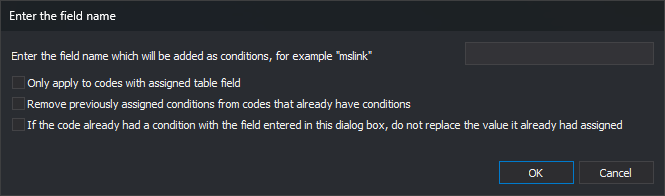
Controls
- Enter the field name which will be added as conditions, for example "mslink": field name.
- Only apply to codes with assigned table field: leaves codes without tables unchanged.
- Remove previously assigned conditions from codes that already have conditions: clears old conditions before adding the new one.
- If the code already had a condition with the field entered in this dialog box, do not replace the value it already had assigned: preserves an existing condition for that field. When cleared, its value becomes the code name.
- OK: changes codes and reloads Codes.
- Cancel: closes without changes.