2P
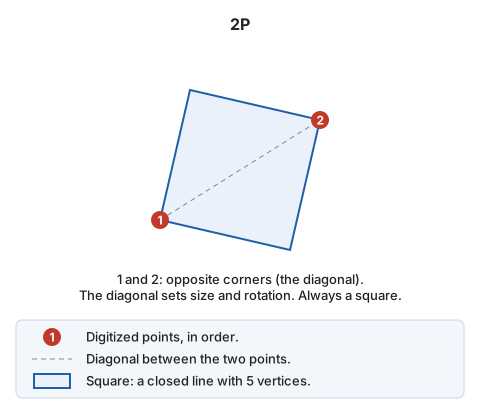
Draw a square from two points.
Parameters
Does not accept parameters.
Notes
The command prompts you to enter two points at opposite corners of the square, defining a diagonal. It calculates the size and rotation of the square from these two points.
The result is a square formed by a closed line with 5 points, where the first and last points coincide.
Command characteristics
| Command type | Interactive command |
|---|---|
| Repeats automatically | Yes |
| Menu option | Draw/More/Square with 2 points |
| Toolbar | Squares and rectangles |
| Extension | DigiNG.OrdenesStandard.dll |
| Implementation | Native |
| Related variables | REPEAT — repeat the last command executed |
| Related commands | 2P_AA 3P RECTANGLE_2P_NORTH RECTANGLE_DR |
| Internal name | {4F444510-6B05-4072-AFA2-D258FD9BA46D} |