Installing Digi3D.AI
To install Digi3D.AI, simply download the installer from our website.
The installer is a bootstrapper, a program that runs the installers for the required components. The Digi3D.AI installer installs all the components the program needs (licensing suite, dongle driver, geoid models, etc.).
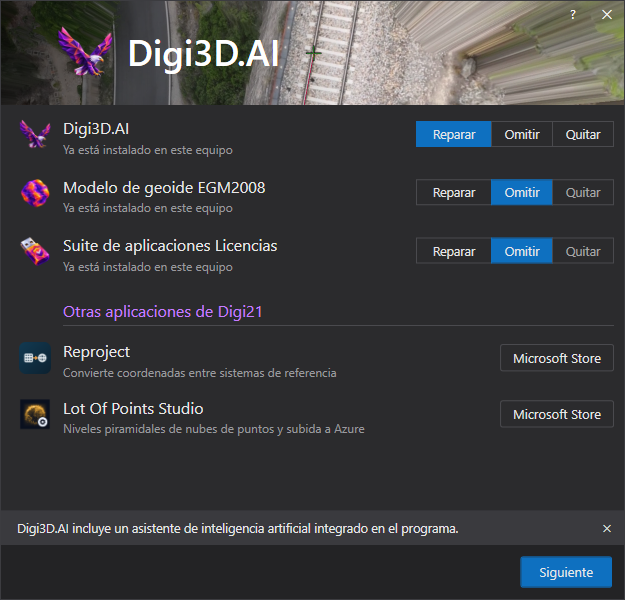
The installer displays one row for each component: Digi3D.AI, the EGM2008 geoid model and the Licencias application suite. If a component is already installed on your computer, you can Repair, Skip or Remove it. Click Next to apply the actions you selected for each component.
Under Other Digi21 applications, the Microsoft Store button opens the store page used to install each application:
- Reproject: converts coordinates between reference systems.
- Lot Of Points Studio: generates point cloud pyramid levels and uploads them to Azure.
Once Digi3D.AI is installed, you need a license (purchased, rented or trial) to use it. See About dongles for information on obtaining a license. In the version of Digi3D.AI that uses Software licenses instead of the protection dongle, you activate the computer from the Software licenses dialog.