Select by registered color
Selects file points matching the specified recorded color and saves them in a new document.
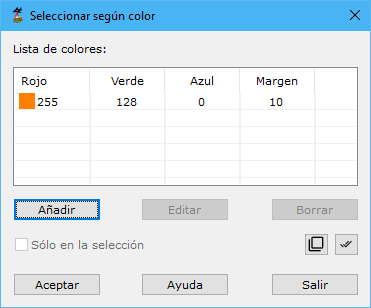
Required parameters:
- List of colours: colors of points to process, specified as RGB components with a plus/minus tolerance for each component. Use Add, Edit or Delete.
- Only in the selection: processes only currently selected points.
See also: