Get license files
This program contacts Digi21's license server and obtains a license file containing a specified dongle's rentals.
Use it later with Consolidate rental offline to program rentals into the dongle.
Internet access is required to obtain licenses.
If the dongle's computer has internet access, use Consolidate rental instead: it programs the dongle without creating files.
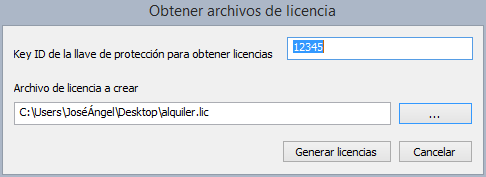
To obtain newly purchased rental licenses for a dongle:
- Run Get license files, under Start/Programs/Digi21.net/Licenses/Get license files.
- Enter the dongle's Key ID.
- Specify the license output path. License files have extension .lic.
- Click Create licenses.
After obtaining the file, program the dongle with Consolidate rental offline.