Search results 1 and 2
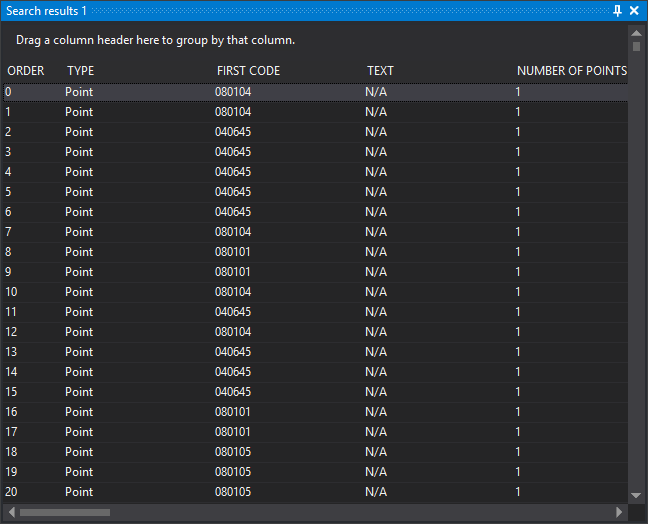
Show geometries found through Search. Two identical panes let you retain results from two searches at once.
Each row is a geometry. Order and Type are always shown. Configure other columns under Search results.
Interaction
- Double-click a result: temporarily selects the geometry in the drawing window for the configured duration and performs the configured action: zoom to geometry extents, move the camera to its center or retain the view.
- Click a column header: sorts by that column.
- Drag a column header to the upper area: groups results by that column.
- Drag a column header out of the header area: removes that column.
- Context menu, Send selection to the active command: passes selected results to the current command if it supports geometry selection. Use Ctrl and Shift for multiple results. A command supporting only one geometry receives the first selected result. Deleted geometries are omitted unless DELETED is 1.
Results belong to the drawing window where the search ran: double-clicking and the context menu do nothing while another drawing window is active. The pane is cleared when its window closes or its results' drawing file is discarded.
Showing the pane
Show it in either way:
- Click its button on the Panes toolbar.
- Select Window/Search results/Search results 1 or Window/Search results/Search results 2.