Open reference files
The program loads reference files to analyze several mapping files together, for example to check a digital model's generated contours or the fit between neighboring contour datasets.
Only drawing files (DIGI, AutoCad, MicroStation, ASCII or TopCal) and digital models (MDT) can be references. Image files cannot be loaded as references, but other reference files can be loaded over an image document. For example, generate a hypsometric tint map and load its source digital model as a reference to check elevations against the resulting colors.
This tool displays the following dialog:
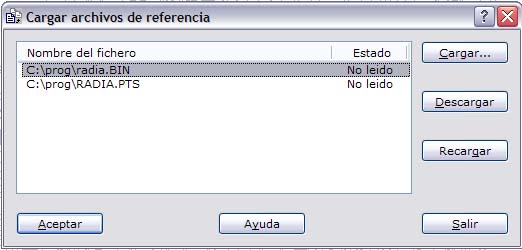
It lists current reference files and lets you load new ones or unload existing ones. Click Load to load files. To unload files, select them with the left mouse button, using [Ctrl] and [Shift] for multiple selection, then click Unload.
If a file has changed since loading, click Reload to read it again. This is useful when a contour file is a reference over a digital model document and contours are regenerated and saved under the same reference file name. Reload it without first unloading it.