Python pane
Digi3D.AI includes an embedded Python interpreter that runs scripts inside the application, accessing the active drawing window, commands, panes and other program services.
Scripts have access to digi3d, available only inside Digi3D.AI (it cannot be imported from a console application).
import digi3d

view = digi3d.current_view()
for geometry in view:
    print(type(geometry).__name__)
Ways to run a script
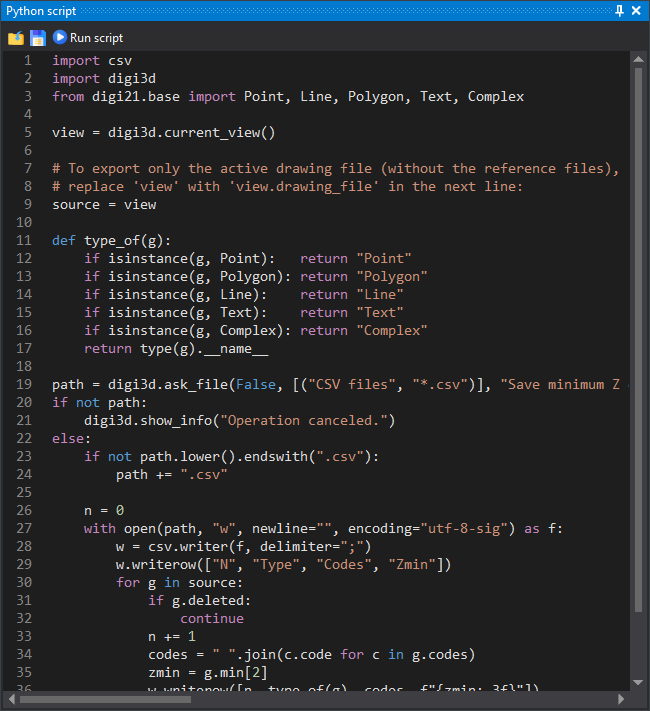
Python script contains the script editor and output.
Run a script from the Python script pane, as a command (by name from the command console), or as a quality control. See Running scripts.
The digi3d object
The usual entry point is current_view(), returning the active DrawingView. digi3d also reexports digi21.base core types, usable without further imports (FeatureCode, Geometry, Point, Line, Polygon…).
See the full description in Reference: digi3d module.
import digi3d

# Create a line and add it to the active drawing window
linea = digi3d.Line(["CARR"], [(0, 0, 0), (10, 0, 0), (10, 10, 0)])
digi3d.current_view().add(linea)
Links
- Running scripts: pane, command console and quality controls.
- Programming examples: ready-to-use scripts and commands.
- Reference:
digi3dmodule: DrawingView, commands, tasks, functions… - Reference: digi21.base: core types reexported by
digi3d.