Code table
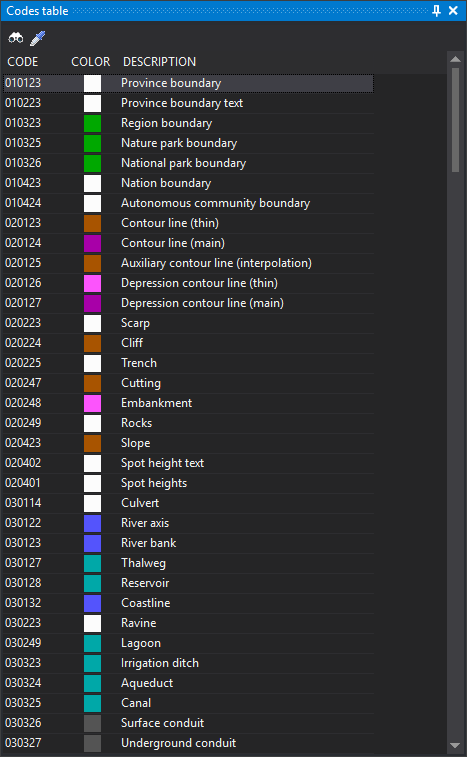
This pane shows all codes in the active code table and selects the active code with a click. It serves the same purpose as the Code toolbar, with all codes visible.
Clicking a code makes it active in the active drawing window.
The pane is enabled only when Code panel (single-coding) is selected under Interface for selecting codes. Restart Digi3D.AI for the change to take effect. The option is named “Code panel”, while the pane it creates is titled Code table.
Toolbar
Buttons are enabled only while a drawing window is open.
- Select code: runs COD, selecting the active code in a dialog.
- Copy entity code: runs CLONAR_CODIGOS, assigning the selected entity's code as active.
Columns
- Code: code name.
- Color: code color in the code table.
- Description: code description in the code table.
Showing the pane
Select Window/Code table.