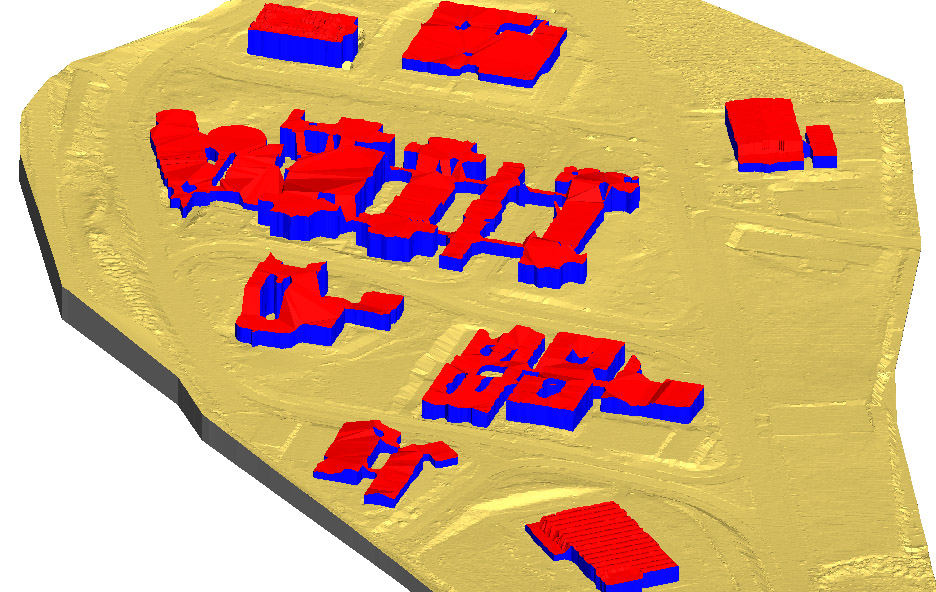
Add objects to the DTM
This tool inserts roofs or entities that do not rest on the ground into the digital model. It creates new objects in the current DTM, calculating new triangulations for each boundary and vertical triangles representing their height. Roofs must be stored in a drawing file at roof elevation.
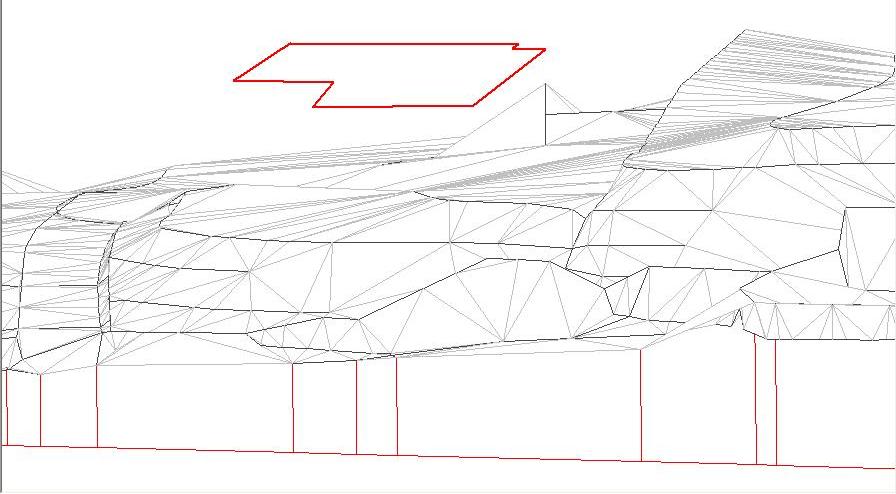
This first image shows the digital model with the file containing roofs loaded as a reference. The roof is "floating" above the digital model.
Run the tool to generate the building solid, producing the following digital model:
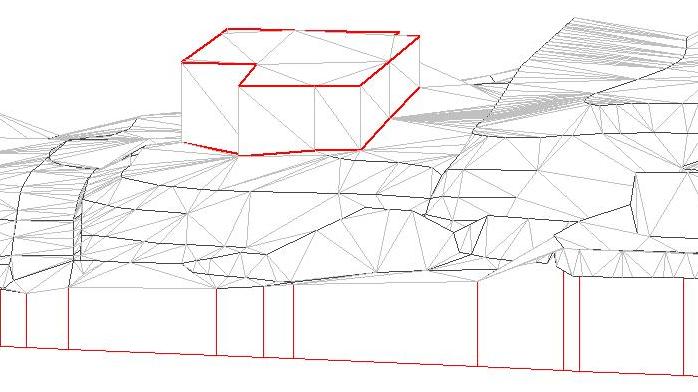
The program has projected the roof onto the digital model, generating triangles for the top of the object and vertical triangles forming the building volume. The input file can contain entities inside each surface that define it more accurately, for example a set of points defining a gabled roof.
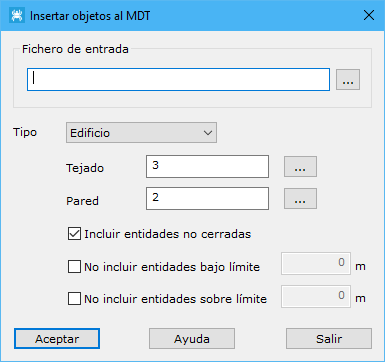
The dialog requests the following parameters:
- Input file: file containing closed vector entities representing the upper boundaries of the objects to include. These files can also contain open entities defining the surfaces more accurately.
- Type: object type, with Building, Bridge and Tree as options.
- Roof: code for triangles generated on top of the object. The button to the right opens the program's stored Code list.
- Wall: code for vertical triangles generated down to the object's projection on the DTM. The button to the right opens the program's stored Code list.
- Include no-close entities: includes entities that define the surface interior rather than its outer boundary, such as ridge lines, party walls or point clouds defining the surface. If disabled, only closed entities are considered.
- Not include entities under limit: excludes open entities below the elevation of their containing surface.
- Not include entities over limit: similarly excludes open entities above the elevation of their containing surface.