Error in user attributes
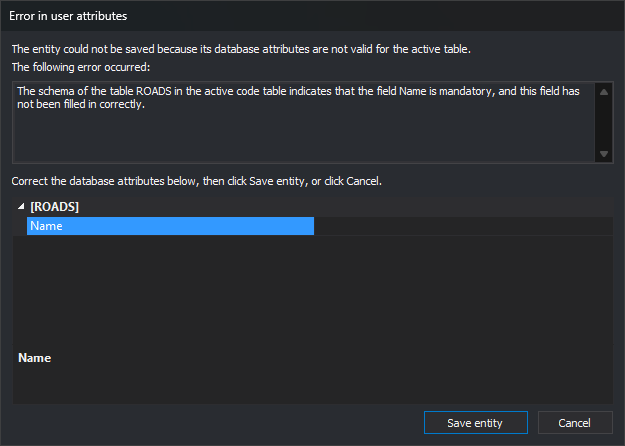
Digi3D.AI displays this dialog when it cannot save an entity's attributes in the database. It appears when registering a new entity in a drawing file connected to a database and when clicking OK in Edit codes. This happens when:
- The database engine rejects an attribute value. For example, text longer than the database field size.
- The field has Allow length 0 disabled in the code table and the attribute has no value. Digi3D.AI checks this before sending the value to the database.
- A quality control run during drawing rejects an attribute value.
If the database engine accepts field values but rejects the record when saving it, Digi3D.AI displays Error saving data in the database.
Fields
The following error occurred:: error message generated by the database engine, the quality control or Digi3D.AI itself when a field that disallows zero length is empty.
Attribute grid: shows only the failed attribute. Correct its value here. Empty if the field belongs to a table schema group or is marked hidden.
Test again: tries saving the entity again with the corrected values.
Cancel (or Esc): displays Invalid database attributes, where you can choose to assign the value again, preserve the entity without that code's record or delete the entity.
If a quality control caused the error, Cancel discards the entity without asking.