CUT_POLYGON
Split a polygon into several polygons at intersections with a cutting line.
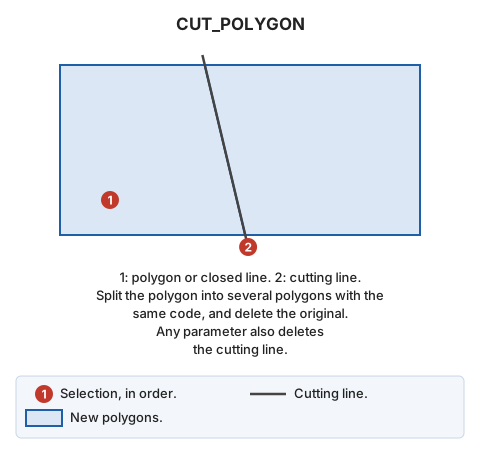
Parameters
| Parameter number | Description | Values | Optional |
|---|---|---|---|
| 1 | Delete the cutting line | Any value, such as 1 | Yes |
Notes
Procedure:
- Select the polygon to modify. Only polygons (with or without holes) in the active drawing file can be selected. Other entity types and polygons from reference files cannot be selected.
- Select the cutting line.
- Analyze its intersections with the polygon.
- If it does not intersect the polygon, display a balloon explaining this and do nothing.
- If it intersects only holes (without intersecting the polygon boundary), display a balloon explaining this and do nothing.
- Split the polygon at the calculated cutting line intersections.
Delete the original polygon from the drawing file.
Generated polygons retain the original code. If database-linked, retain the polygon index.
Command characteristics
| Command type | Interactive command |
|---|---|
| Repeats automatically | No |
| Menu option | Edit/Polygons/Cut polygon |
| Toolbar | This command has no associated toolbar button |
| Extension | DigiNG.Commands.dll |
| Implementation | .NET |
| Source code | CortarPoligono.cs |
| Related variables | No related variables |
| Related commands | TRIM_POLYGON TRIM_POLYGONS |