Profiles
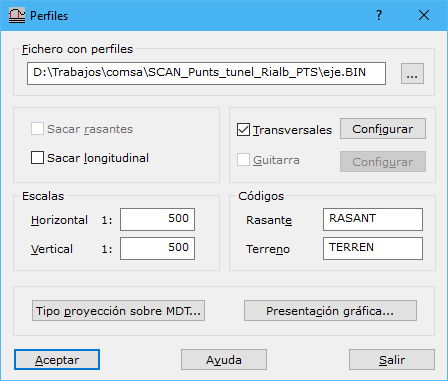
Complete these fields:
- Profiles file: drawing file containing profiles to project. Formats: DIGI BIN, AutoCad DXF, MicroStation DGN or ASCII coordinates defining the profiles. Files can contain multiple profiles; ASCII supports only one.
- Include alignment: includes the entity that generated the profile, the design alignment, in the profile annotations. Disable to include only the terrain profile.
- Include profile: generates longitudinal profiles. Disable if they are unnecessary, for example when only cross sections are wanted.
- Cross section: generates cross sections from longitudinal profiles. Configure them with Set up....
- Annotations: includes an information band around longitudinal profiles. Configure it with Set up....
- Scales: horizontal and vertical scale denominators, determining profile generalization and the presentation ratio between axes.
- Codes: codes for the lines representing the design alignment and terrain surface.
- Type projection over DTM...: how to project profiles onto the digital model.
- Graphic presentation...: how to arrange profiles in the final drawing file.
Requires an active triangulated digital model document.