Database
This category configures the code's database relationship.
Table
Select the table whose attributes appear in panes such as Database fields when this code is active.
The drop-down lists tables added under Database.
Default values
Values assigned to database fields of geometries digitized with this code. The property shows the first campo=valor pair, followed by ... if more exist.
... opens Default fields:
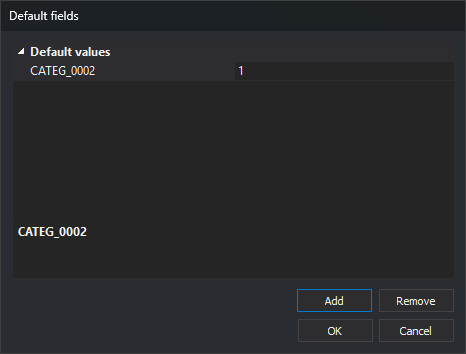
- Default values: one field and value per row. Enter values on the right.
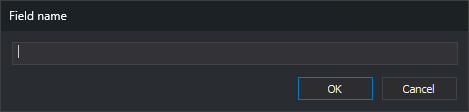
- Add: opens Field name, requesting a name and adding an empty-valued row. Checks neither table membership nor list duplicates.
- Remove: deletes the selected field. Enabled with a selected field.
- OK saves; Cancel preserves the previous list.
Conditions
Conditions a database record must meet for its geometry to receive this code.
This optional field applies only to GIS files such as Shapefiles.
For example, a Shapefile has an Edificaciones table with a Tipo field:
| Value | Meaning |
|---|---|
| 0 | Building under construction |
| 1 | Private building |
| 2 | Public building |
Suppose the code table has these codes:
| Code | Description |
|---|---|
| 010101 | Building under construction |
| 010102 | Private building |
| 010103 | Public building |
| 010104 | Other buildings |
Selecting Edificaciones in each code's Table would leave the Shapefile importer unable to choose among 010101, 010102, 010103 and 010104 for its geometries.
Conditions resolves this.
For 010101, enter:
Tipo=0
For 010102:
Tipo=1
For 010103:
Tipo=2
Leave Conditions empty for 010104.
A geometry with Tipo = 1 then receives code 010102.