Database
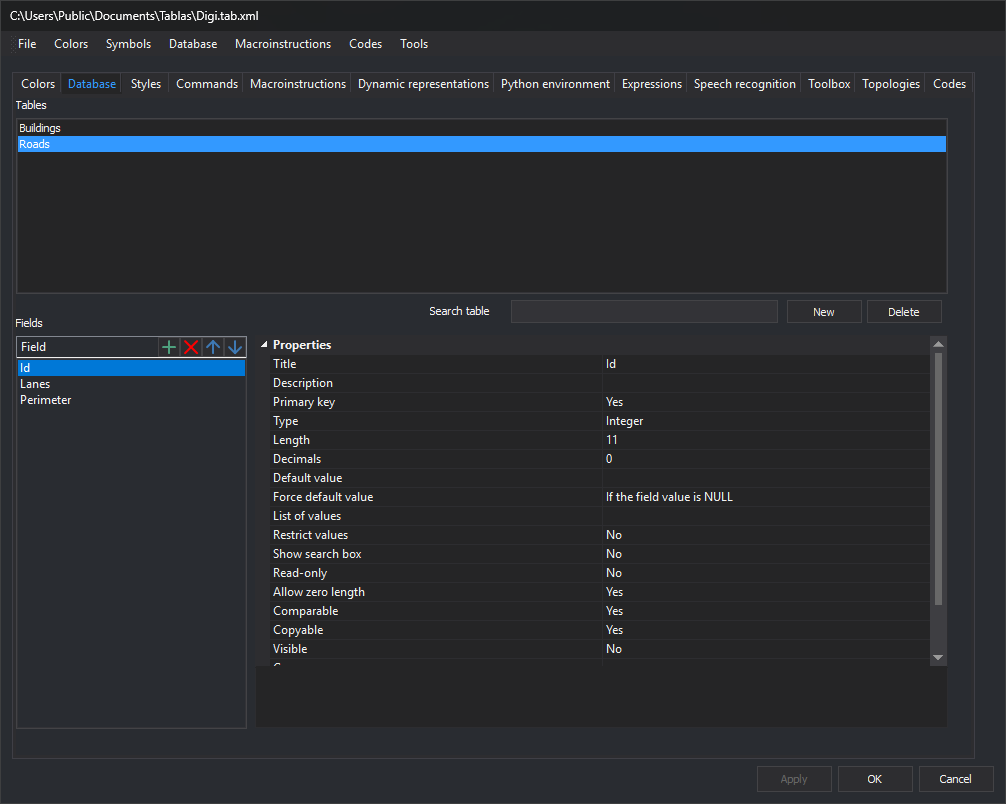
This tab configures database tables and fields. Each code can link to a table through Table.
Tables
Tables defined in the code table.
- Search table: filters names case-insensitively. Empty shows all tables. Hiding the edited table loads the first visible table; unapplied changes first open No changes have been applied. If the list refreshes for another reason, such as table creation from Database, the edited table remains even if it does not match. A new unapplied table is always shown.
- New: requests a name and creates a table with an
IDprimary key field. Added to the code table when changes are applied. - Remove: deletes the selected table. A new unapplied table is removed from the list. Codes linking to it open There are codes linked to the table.
There are codes linked to the table
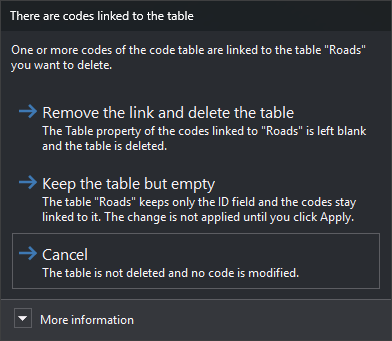
Appears with Remove when codes reference this table through Table. Contents show its name.
- Remove the link and delete the table: clears those codes' Table and deletes the table from the code table.
- Keep the table but empty: removes fields, leaving a new
IDalone. Codes remain linked. Changes wait for Apply. - Cancel: preserves table and codes. Default button; Esc has the same effect.
More information explains that deleting without unlinking would leave codes pointing to a nonexistent table.
Fields
Selected table's fields. Four toolbar buttons:
- New (+): adds a field. Enter its name in the list.
- Remove (x): deletes the selected field.
- Up and Down (arrows): reorder it.
Selecting a field shows its properties on the right.
Apply changes
Selected table changes apply with Apply or OK. With unapplied changes, the editor asks what to do when selecting another table, clicking New or changing pages. In dialogs without Cancel, Esc means Discard the changes.
Selecting another table
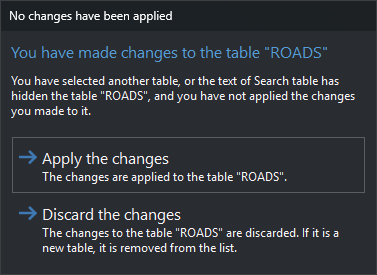
Appears when another table is selected or Search table hides the changed table. Clicking the same table again does not prompt.
- Apply the changes: applies and loads the selected table. Default button.
- Discard the changes: discards and loads the selected table. A new table is removed from the list.
Clicking New
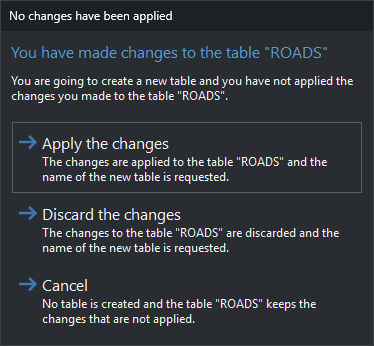
New adds Cancel to the preceding choices:
- Apply the changes: applies and requests the new table name.
- Discard the changes: discards and requests the new table name.
- Cancel: creates no table and retains unapplied changes. Esc has the same effect.
Changing pages
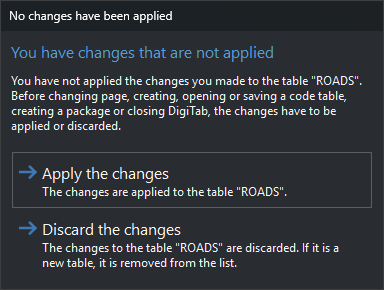
Appears when switching tabs and before operations applying all tabs: OK and New, Open..., Save, Save as... or package creation under File.
- Apply the changes: applies table changes. Default button.
- Discard the changes: discards and reloads the table. A new table is removed from the list.
Either button continues the tab change or operation.
Database includes operations affecting all tables.