CHNG_DIREC
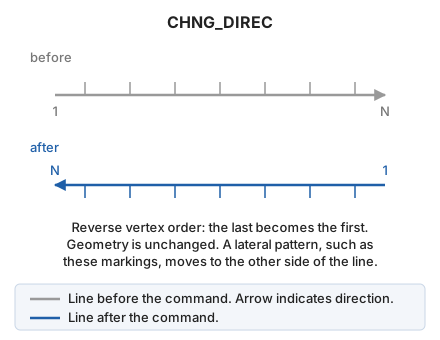
Reverse the order of recorded points after digitizing a drawing element.
Parameters
| Parameter number | Description | Optional |
|---|---|---|
| 1 | Code or codes (one or more, separated by spaces) | Yes |
Without parameters, select one or more lines. With codes, reverse all visible lines bearing them and end:
CHNG_DIREC=<código>
Notes
For patterned lines, such as woodland boundary codes, reversing direction changes the side toward which the pattern points.
If quality control rejects a modified entity, retain its original unchanged. Handle multiple entities independently: retain each rejected original and modify the others.
Command characteristics
| Command type | Interactive command |
|---|---|
| Repeats automatically | Yes |
| Menu option | Edit/Polylines/Change direction of a line |
| Toolbar | Polyline direction |
| Extension | DigiNG.OrdenesStandard.dll |
| Implementation | Native |
| Related variables | REPEAT — repeat the last command executed |
| Related commands | CHNG_DOWN_DIR CHNG_UP_DIR DETECT_INTERSECTION_DIRECTION |
| Internal name |