Stored transformations
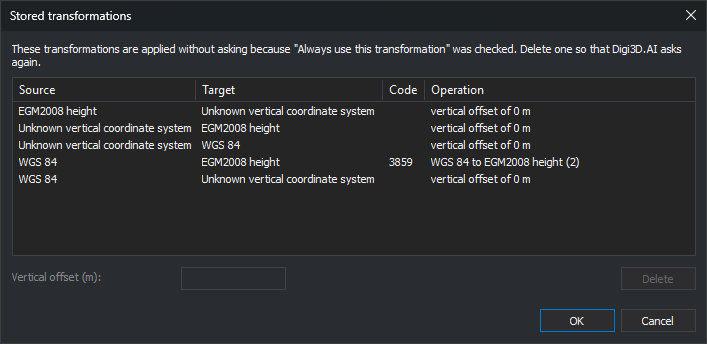
When Digi3D.AI does not know how to transform coordinates between two reference systems, it asks the user:
- If it finds no transformation for the Z coordinate, it displays Vertical transformation selection, where you choose whether the two vertical systems are identical or enter a vertical offset.
- If the EPSG database contains several possible transformations between the systems, it displays a list for you to choose one.
If Always use this transformation is checked in those dialogs, Digi3D.AI saves the choice and does not ask again for that system pair. This dialog displays saved choices and lets you delete them or change the vertical offset.
Opening the dialog
There are two ways:
- Select Tools/Stored transformations... from the menu.
- In the Configuration dialog, Coordinate reference system category, click the Stored transformations option button.
Columns
- Source and Target: reference systems between which coordinates are transformed.
- Code: EPSG code of the selected transformation. Only appears for transformations chosen from the EPSG database list.
- Operation: EPSG transformation name or, for vertical transformations, the vertical offset in meters. If the two vertical systems were marked as identical, the offset is 0 m.
If Digi3D.AI does not recognize the reference system names as EPSG database names, it displays both names together in Source and leaves Target empty.
Using the dialog
- Select a row.
- To make Digi3D.AI ask about that transformation again, click Delete.
- To change the offset of a vertical transformation, enter the value in meters in Vertical offset (m). Both commas and periods are accepted as decimal separators.
- Click OK to save changes, or Cancel to discard them.
Notes
- Changes apply to files and models opened afterward. Those already open continue using the transformation with which they were opened.
- Stored transformations are specific to each Windows user.