Replacers
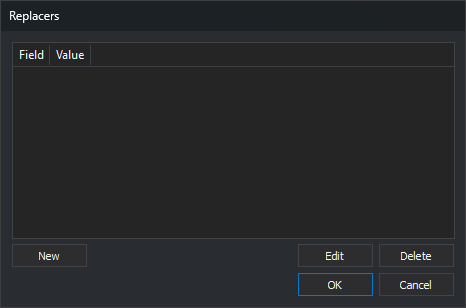
This dialog edits a list of value pairs. It is opened by ... in two properties; the column titles depend on the property that opens it:
| Property | Location | Columns | What each pair does |
|---|---|---|---|
| Read only the geometries that have the following values | PostGIS import/export engine parameters | Field and Value | Only geometries whose field has that value are read. When saving entities, the field takes that value. |
| Paths to replace | ADS sensor properties | Path to replace and Replace with | In paths read by the sensor, the first path is replaced with the second. |
Fields
- List: one pair per row.
- New: opens Add replacer. If the list already contains a row with the same value in the first column (ignoring case), the pair is not added and no warning appears.
- Edit: opens Add replacer with the selected row's values. Editing does not check for duplicate first-column values.
- Delete: deletes the selected row.
- OK: saves the list in the property.
- Cancel: closes the dialog without changing the property.
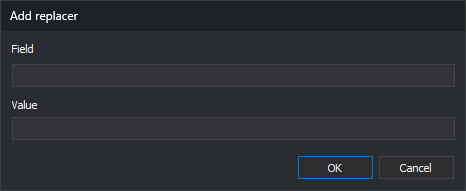
Add replacer dialog
It has two text boxes, one per column, with the column title above each. OK adds or changes the row; Cancel leaves it unchanged.
Notes
The property stores pairs as a text string with semicolon-separated values: campo1;valor1;campo2;valor2;.
In the ADS sensor's Paths to replace property, if the text contains no semicolon, the sensor replaces that path with the project's working folder.