Create Encrypted Code Table Pack
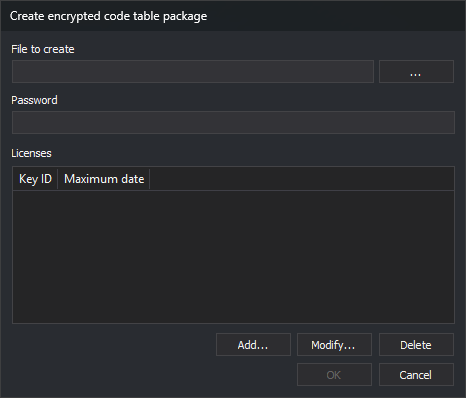
This File option creates an encrypted .dt code table package. Digi3D.AI loads it only on a computer with a dongle listed in Licenses and before that license's maximum date. An unlisted dongle or a computer date after the maximum causes an error and prevents loading.
Controls
- File to create: package path. ... opens Save as with Code table package (*.dt).
- Password: table encryption password.
- Licenses: Key ID and Maximum date columns.
- Add...: opens Add license, requesting the dongle KeyID and a calendar date. Entering KeyID enables OK. An existing KeyID's date is replaced.
- Modify...: opens Add license with selected license data. Accepting replaces that license's data.
- Delete: deletes the selected license.
OK requires a file, password and at least one license. Clicking writes the package; a write failure displays an error.
Creating a package does not save the open code table: closing the editor still asks to save a changed table.