CREATE_BBDD_VIEW
Create a virtual drawing file displaying a database field's value over entities in a drawing file linked to a database.
Parameters
Does not accept parameters.
Create a database view dialog box
Choose the drawing file from which to create the view. The drop-down lists only loaded drawing files with associated databases. OK stays disabled until a file is selected.
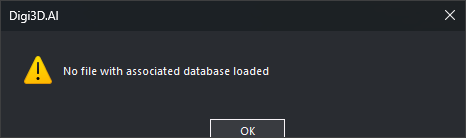
If no database-linked file is loaded, display "No file with associated database loaded" and end.
Notes
Click OK to add a reference file named "Database view of file" and show the Drawing file pane. The view writes a field's value inside a rectangle with a background, or NULL if empty. Text starts at the entity center. Display it only for undeleted entities whose centers are on screen and for codes whose table is selected.
Nothing appears until a table and field are selected.
View properties in the Drawing file pane allow these choices:
- Table: database table supplying the value. Changing it clears Field.
- Field: field of that table to display.
- Background color: text rectangle color. Default: blue.
- Text color: text color. Default: white.
- Height: text size in pixels. Default: 20.
Command characteristics
| Command type | Immediate command |
|---|---|
| Repeats automatically | No |
| Menu option | Database/Create database view... |
| Toolbar | This command has no associated toolbar button |
| Extension | DigiNG.OrdenesBaseDatos.dll |
| Implementation | Native |
| Related variables | No related variables |
| Related commands | No related commands |
| Internal name | {14169A10-395F-4E9F-BC43-638F2BD80EEE} |