PARALLEL_Z
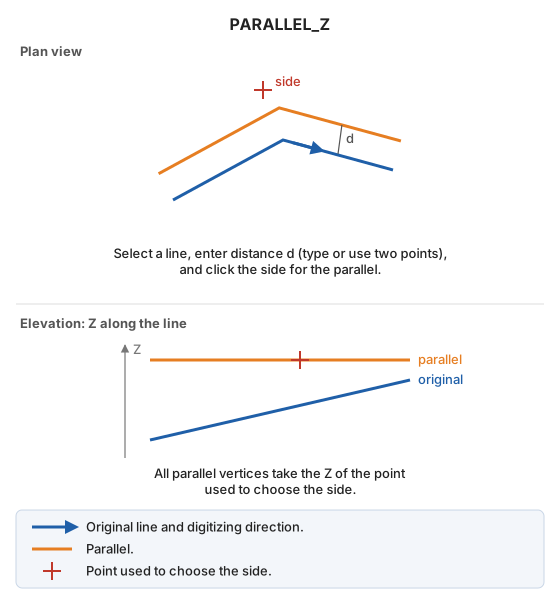
Draw a parallel to an existing line, assigning the digitized point's Z to every generated vertex.
Parameters
Does not accept parameters.
Notes
Select a line, specify the distance, and click the side where the parallel should be generated, as with PARALLEL. The difference is that all parallel vertices take the Z of the point used to choose the side.
Command characteristics
| Command type | Interactive command |
|---|---|
| Repeats automatically | No |
| Menu option | Draw/More/Classic parallel (selection/distance/side) with active Z |
| Toolbar | This command has no associated toolbar button |
| Extension | DigiNG.OrdenesStandard.dll |
| Implementation | Native |
| Related variables | AD — active distance REPEAT — repeat the last command executed |
| Related commands | PARALLEL PARALLEL_AD |
| Internal name | {351A5010-8CDA-4DDA-AB3A-A0DA6E9631EE} |