Background color
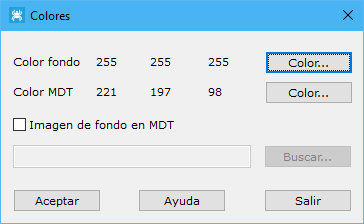
This dialog selects the background and DTM colors. It also lets you select a background image when a digital model is open.
It contains the following fields:
- Background color: selects the background color of open documents. You can also use the Background color command on the Home tab.
- DTM color: selects the background color of open documents. You can also use the DTM color command in the Surface menu on the DTM tools tab.
- Background image in DTM: optionally selects a raster background image for open digital model documents.