Step 3: Point selection
This is the third step in the reference system change using an NTV2 grid, in which a screen is displayed with the points with coordinates stored in the current file. Select the points you want to transform.
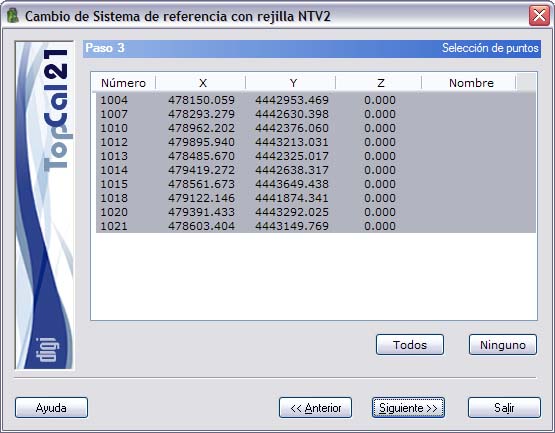
The list that is displayed contains the following fields:
- Point number
- Point coordinates
- Point name
You can select multiple points by holding down the [CTRL] key and clicking the desired points with the left mouse button. If you click a point that is already selected, it is deselected.
You can also select points arranged in ranges by holding down the [SHIFT] key and clicking with the left mouse button the limit points that define the range.
Likewise, you can use the All or None buttons to select or deselect all the points.
When you have selected the desired points, you can click the Next button to go to Step 4: Output data setup, or return to Step 2: Calculation mode setup by clicking the Back button.