Symbol library
This dialog box shows a list of the symbols available to be inserted in the sketch and a preview of their drawings.
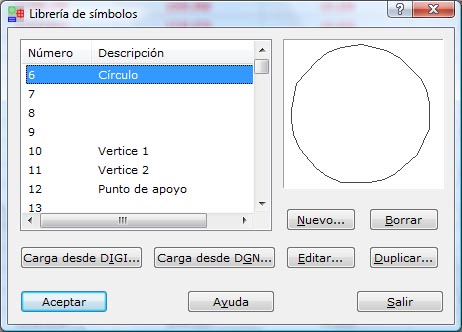
The symbol identifiers are stored as numeric strings, and you can add a description. You can load the symbols used by DIGI by using the TEXT.FNT file. You access this option with the Load from DIGI... button.
You can also load the cells stored in a file with the CEL extension, which is specific to MicroStation. You access this option with the Load from DGN... button.
From this dialog box you can create a New symbol, Delete a symbol, Edit a symbol, or Duplicate a symbol with a different symbol number, by clicking the buttons available for that purpose. When you edit or create a symbol, the program shows the Edit symbol dialog box.
After you finish the definition, click the OK button to view the data or the Exit button to leave the dialog box.