Maxima and minima
This tool is used to compute the maximum and minimum coordinates of a given set of points. The fields shown are the following:
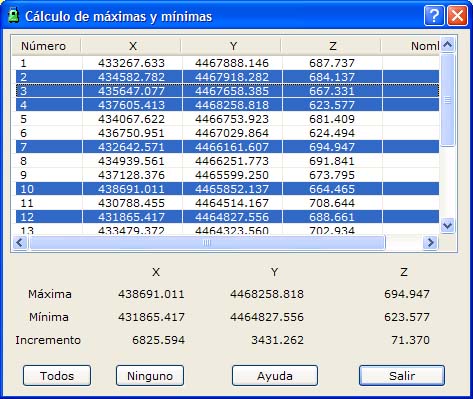
- Point list: List of points of the current file
- Maximal X, Y, Z: Maximum coordinates of the selected points
- Minimal X, Y, Z: Minimum coordinates of the selected points
- Increments X, Y, Z: Differences between the maxima and minima of the selected points
You can select multiple points by holding down the [CTRL] key and clicking the desired points with the left mouse button. If you click a point that is already selected, the program deselects that point.
You can also select ranges of points by holding down the [SHIFT] key and clicking with the left mouse button the limit points that define the range.
In the same way, you can use the All or None buttons to select all points or deselect all points, respectively.